> ## Documentation Index
> Fetch the complete documentation index at: https://docs.jtbdos.com/llms.txt
> Use this file to discover all available pages before exploring further.
# Collaboration
> JTBDOS is multiplayer out of the box.
export const Authors = ({data}) => {
const baseUrl = typeof window !== 'undefined' && window.location.origin.includes('localhost') ? '' : 'https://raw.githubusercontent.com/haydenbleasel/JTBDOS/refs/heads/main/docs';
return
Co-authored by
{data.map(author =>
{author.user.name}
{author.company.name}
)}
;
};
JTBDOS maintains a `collaboration` package designed to provide real-time collaborative features to your apps. By default, we use [Liveblocks](https://liveblocks.io) as our collaboration engine. To showcase what you can do with this package, we've built a simple collaborative experience in the `app` application, featuring an avatar stack and live cursors.
Collaboration is enabled by the existence of the `LIVEBLOCKS_SECRET` environment variable.
## How it works
Liveblocks relies on the concept of rooms, digital spaces where people collaborate. To set this up, you need to [authenticate your users](https://liveblocks.io/docs/authentication/access-token/nextjs), and [add the correct providers](https://liveblocks.io/docs/get-started/nextjs), however JTBDOS has already integrated this, meaning you can start building your collaborative application immediately.
We've also wired up two key props for the Liveblocks provider, `resolveUsers` and `resolveMentionSuggestions`, which are used to resolve the users and mention suggestions respectively.
## Usage
Liveblocks provides a number of hooks making it easy to add real-time presence and document storage to your app. For example, [`useOthers`]() returns which users are currently connected, helpful for building avatars stacks and multiplayer cursors.
```tsx toolbar-avatars.tsx
import { useOthers, useSelf } from "@liveblocks/react/suspense";
export function ToolbarAvatars() {
const others = useOthers();
const me = useSelf();
return (
{/* Your avatar */}
{/* Everyone else's avatars */}
{others.map(({ connectionId, info }) => (
)}
);
}
```
### Multiplayer documents
You can take your collaborative app a step further, and set up multiplayer document state with [`useStorage`](https://liveblocks.io/docs/api-reference/liveblocks-react#useStorage) and [`useMutation`](https://liveblocks.io/docs/api-reference/liveblocks-react#useMutation). This is ideal for creating custom experiences, such as a a multiplayer drawing panel, spreadsheet, or just a simple shared input and that anyone can edit.
```tsx collaborative-input.tsx
import { useStorage, useMutation } from "@liveblocks/react/suspense";
function CollaborativeInput() {
// Get the input's value
const inputValue = useStorage((root) => root.inputValue);
// Set the input's value
const setValue = useMutation(({ storage }), newValue) => {
storage.set("inputValue", newValue);
}, []);
return setValue(e.target.value)} />;
}
```
### Commenting
Liveblocks also provides ready-made customizable components for adding collaboration, such as [`Thread`](https://liveblocks.io/docs/api-reference/liveblocks-react-ui#Thread) and [`Composer`](https://liveblocks.io/docs/api-reference/liveblocks-react-ui#Composer).
```tsx comments.tsx
import { useThreads } from "@liveblocks/react/suspense";
import { Thread, Composer } from "@liveblocks/react-ui";
function Comments() {
// Get each thread of comments and render them
const { threads } = useThreads();
return (
{threads.map((thread) => (
))}
);
}
```
### Collaborative editing
To add a rich-text editor with full collaborative editing and floating comments, you can set up a [Tiptap](https://liveblocks.io/docs/get-started/nextjs-tiptap) or [Lexical](https://liveblocks.io/docs/get-started/nextjs-lexical) editor in a few lines of code.
```tsx collaborative-editor.tsx
import { useLiveblocksExtension, FloatingComposer, FloatingThreads } from "@liveblocks/react-tiptap";
import { useThreads, useEditor, EditorContent } from "@tiptap/react";
import StarterKit from "@tiptap/starter-kit";
export function Editor() {
const { threads } = useThreads();
const liveblocks = useLiveblocksExtension();
// Set up your multiplayer text editor
const editor = useEditor({
extensions: [
liveblocks,
StarterKit.configure({ history: false }),
],
immediatelyRender: false,
});
return (
);
}
```
### Notifications
Liveblocks also provides [notification components](https://liveblocks.io/docs/api-reference/liveblocks-react-ui#InboxNotificationList), meaning you can send in-app notifications to users that are tagged in comments, are mentioned in the text editor, or for any custom purpose.
```tsx notifications.tsx
import { useInboxNotifications } from "@liveblocks/react/suspense";
import {
InboxNotification,
InboxNotificationList,
} from "@liveblocks/react-ui";
export function CollaborativeApp() {
// Get each notification for the current user
const { inboxNotifications } = useInboxNotifications();
return (
{inboxNotifications.map((inboxNotification) => (
))}
);
}
```
### Infrastructure
Liveblocks not only provides these features, but it also has:
* [Browser DevTools](https://liveblocks.io/devtools) to help you build your app.
* [REST APIs](https://liveblocks.io/docs/api-reference/rest-api-endpoints) for sever-side changes.
* [Node.js SDK](https://liveblocks.io/docs/api-reference/liveblocks-node) for using the REST APIs with TypeScript.
* [Webhooks](https://liveblocks.io/docs/platform/webhooks) for triggering user-driven events.
* [Dashboard](https://liveblocks.io/docs/platform/projects) to help with bug spotting and analytics.
Learn more by checking out the Liveblocks [documentation](https://liveblocks.io/docs), [examples](https://liveblocks.io/examples), and [interactive tutorial](https://liveblocks.io/docs/tutorial/react/getting-started/welcome).

 )}
)}
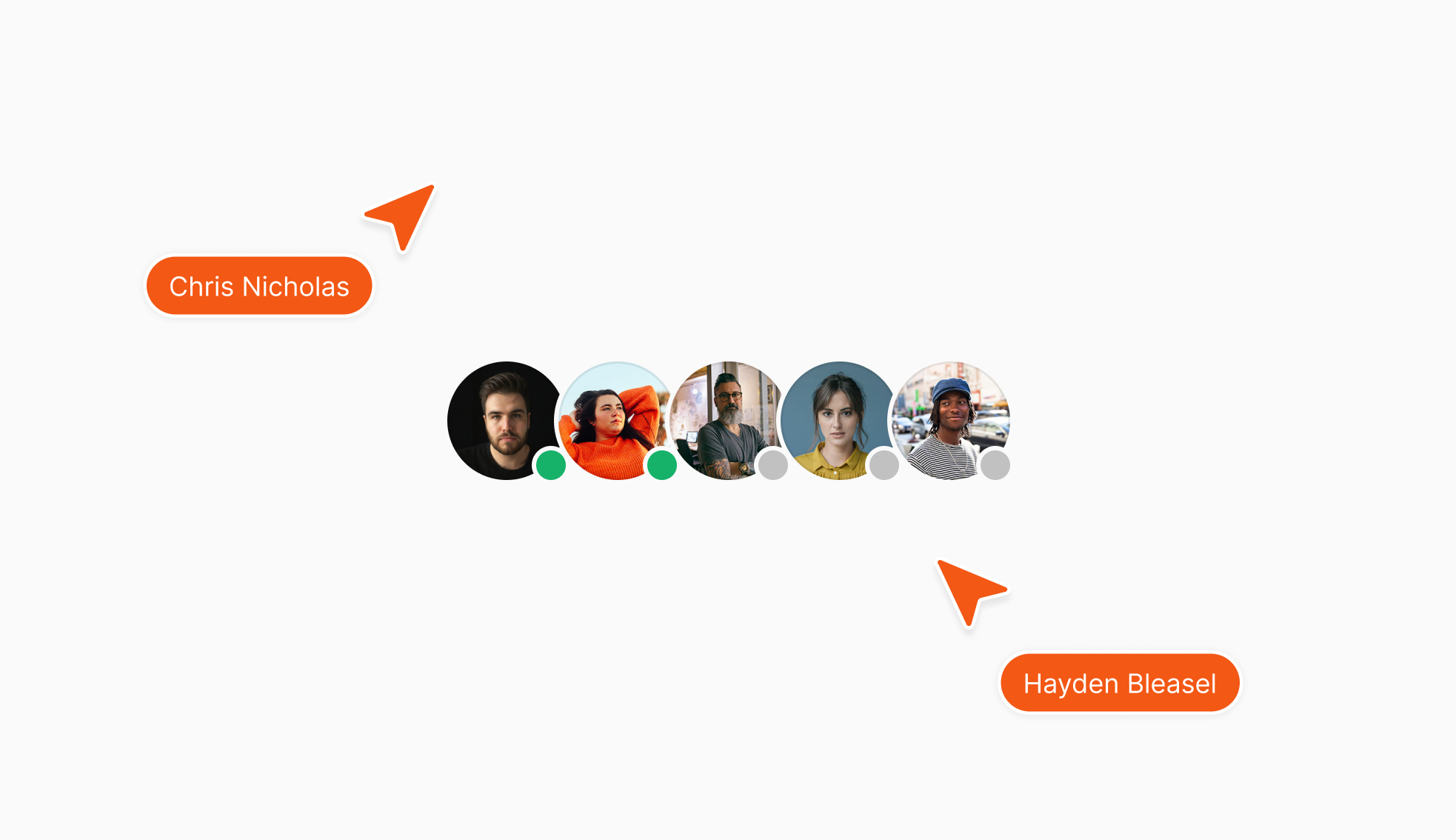 JTBDOS maintains a `collaboration` package designed to provide real-time collaborative features to your apps. By default, we use [Liveblocks](https://liveblocks.io) as our collaboration engine. To showcase what you can do with this package, we've built a simple collaborative experience in the `app` application, featuring an avatar stack and live cursors.